



November 5, 2026

Ecommerce runs on acronyms: WMS, OMS, FBA, EDI. The one that ties most of them together at checkout and after it is API. A shipping API is how your store asks a carrier for a rate, buys a label, checks an address and pulls tracking events without anyone typing them in.
This guide explains what an ecommerce shipping API does, how it works, what changed with the big carrier APIs in 2026, how APIs differ from EDI, and what to look for when you choose one. It also covers a question many growing brands ask: do you still need your own shipping API once a 3PL ships your orders?
Key takeaways
- A shipping API connects your store or order system to one or more carriers so rates, labels, address checks and tracking happen automatically.
- You can connect to each carrier directly or use a multi-carrier shipping API that reaches many carriers through one integration.
- 2026 brought major carrier API changes: USPS retired its Web Tools APIs on January 25, 2026, and FedEx is moving customers from its legacy Web Services to FedEx REST APIs.
- APIs and EDI solve different problems. APIs handle real-time parcel data; EDI remains the standard for retail trading partners.
- If a 3PL ships for you, its systems usually buy the labels. Your job is a clean order feed in and tracking data back out.
- A 3PL API should cover orders, inventory, inbound shipments, labels, tracking and webhooks. The Jay Group Logistics API is a worked example, with public documentation.
For developers: the Jay Group Logistics API v3 reference is public. See every endpoint, schema, authentication step and webhook event.
What is a shipping API?
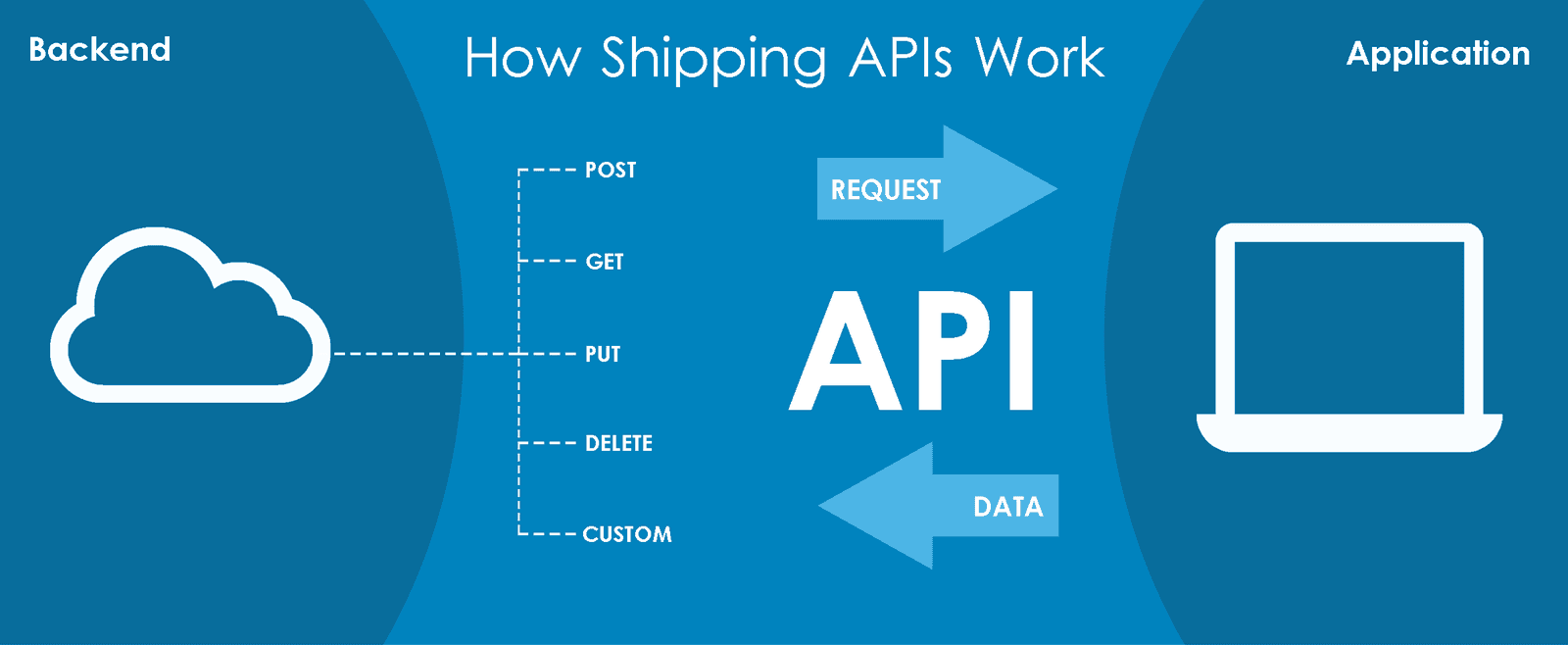
API stands for application programming interface: a defined way for one piece of software to request data or actions from another. A shipping API lets your ecommerce platform, order management system or warehouse system talk to carriers such as USPS, UPS, FedEx and DHL. Instead of logging into each carrier’s website, your system sends a request and gets an answer back in a fraction of a second.
Shipping APIs sit behind the scenes. The shopper sees accurate delivery options at checkout and a tracking link after purchase. The API is what makes both possible.

What an ecommerce shipping API does
Features vary by carrier and provider. Some offer international shipping and customs forms, some show pickup and drop-off locations, some do not. Most shipping APIs cover seven core jobs.
1. Label creation
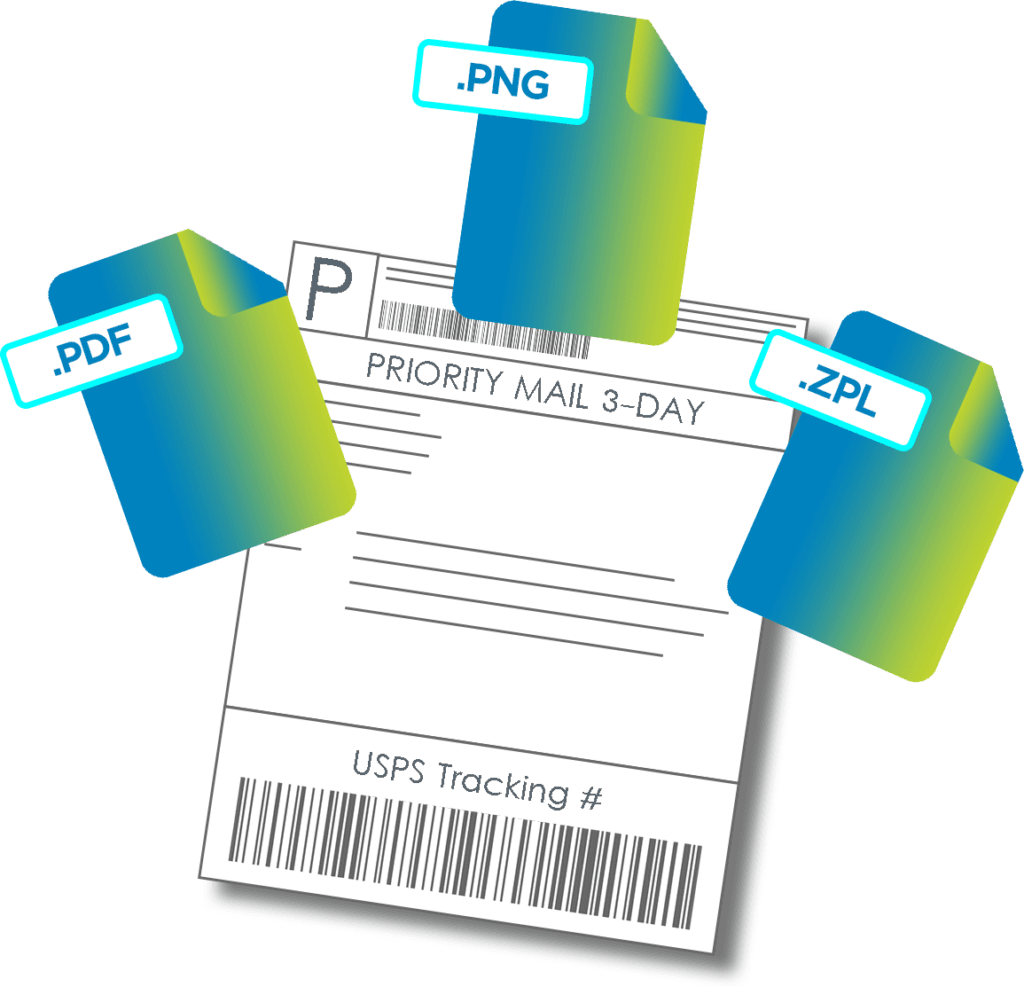
The main job of a shipping API is buying and generating labels. Your system sends the shipment details (addresses, weight, dimensions, service level) to the label endpoint. The API returns the label, usually as a PDF, PNG or ZPL file for thermal printers, plus the tracking number.
2. Rate shopping across carriers
Each carrier is stronger at different things: speed, price on light parcels, coverage, heavy or oversized items. Rate shopping requests live rates from several carriers for the same package so you can show shoppers a cheap option and a fast option, or let your system pick the best rate automatically. Rates depend on weight, size and distance, so it helps to understand dimensional weight and USPS shipping zones.
3. Address validation
When a shopper enters an address, the store can check it through the API before the order is placed. Invalid or incomplete addresses get flagged at checkout instead of turning into failed deliveries, address correction surcharges and reprinted labels. Many APIs also tell you whether an address is residential or commercial, which affects the surcharge you pay.
4. Shipment tracking
Tracking APIs return status events from the carrier: label created, in transit, out for delivery, delivered, exception. There are two ways to get them. Polling means your system asks for the latest status on a schedule. Webhooks mean the API pushes each new event to your system as it happens, which is faster and uses fewer calls. Either way, you can send branded tracking emails, texts or a tracking page instead of the carrier’s default page, which also cuts “where is my order” tickets.
5. Carrier connections
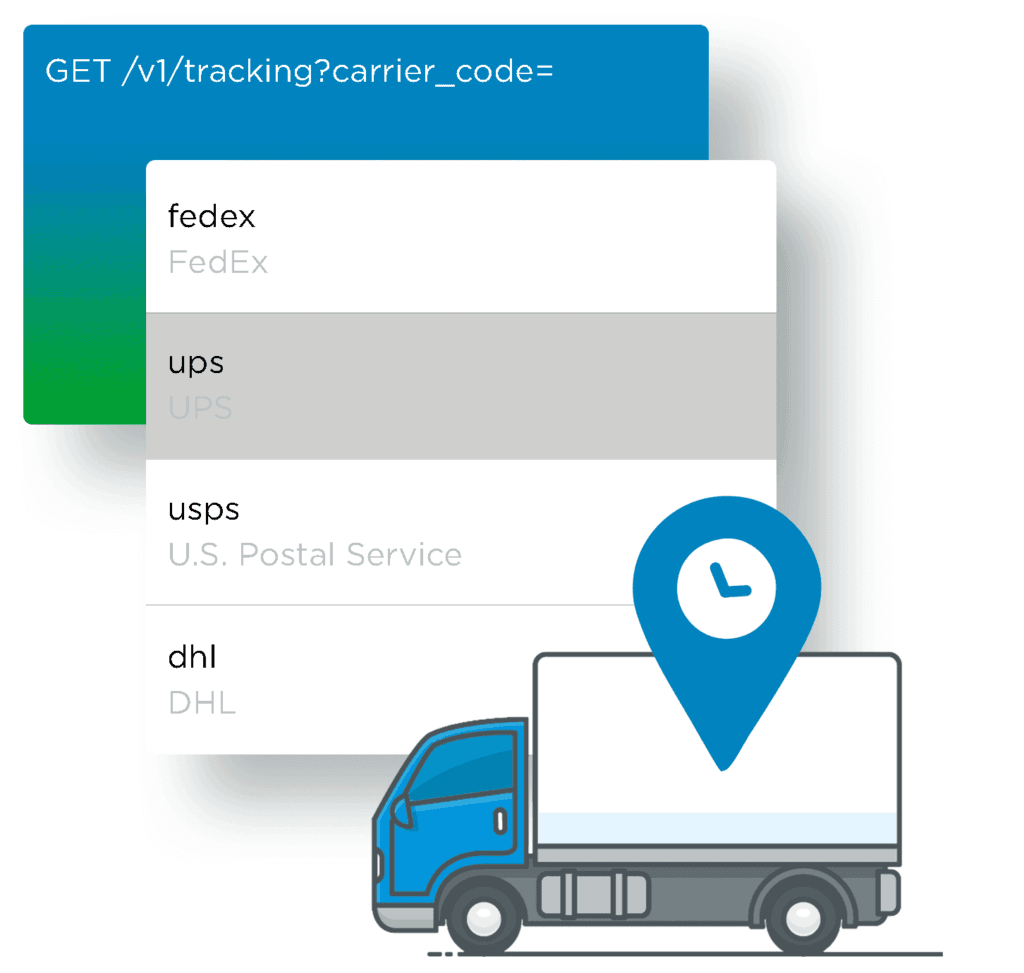
A multi-carrier API lets you connect your own negotiated carrier accounts, use the provider’s discounted rates, or both, and add regional and last-mile carriers without a new integration each time.
6. Manifests and pickups
At the end of the day, the API can create the manifest (also called an end-of-day form or SCAN form) that lists every package handed to the carrier, and schedule carrier pickups.
7. Voids and returns
Unused labels can be voided so you are not billed for them, and return labels can be created on demand or included in the box.
Carrier API changes in 2026
If your store or software connects to carriers directly, 2026 is a year to check your integrations.
- USPS: the legacy USPS Web Tools APIs were retired on January 25, 2026. Integrations now need the new USPS APIs on the USPS APIs developer portal.
- FedEx: FedEx is retiring its legacy FedEx Web Services (SOAP and XML) in favor of FedEx REST APIs, which use JSON and OAuth 2.0. Under the published migration timeline, end customers were due to complete the move by June 1, 2026.
If you use a multi-carrier shipping API, an ecommerce platform app or a 3PL, the provider normally handles these migrations for you. If your developers built direct carrier connections, confirm they are on the current versions.
How shipping APIs work
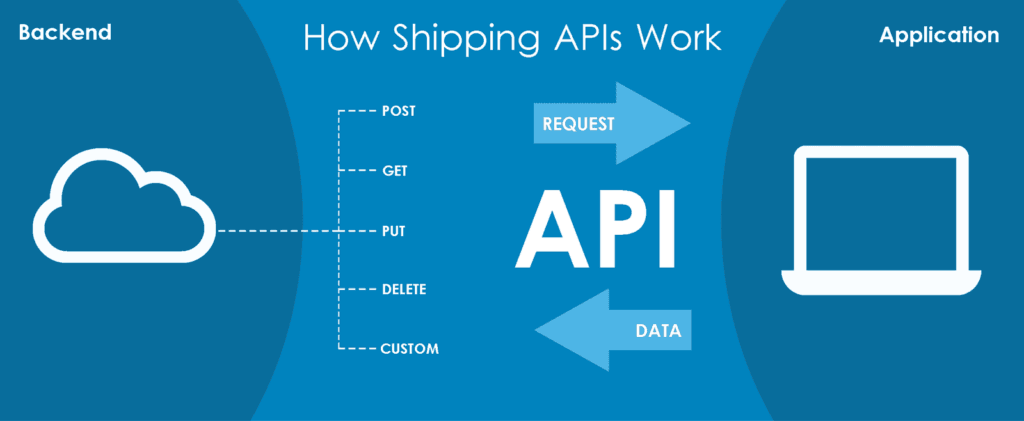
Most shipping APIs today are REST APIs that exchange JSON. Your application sends a request to an endpoint, and the API sends back a response with the data or the result of the action.
Provider documentation describes the building blocks your developers work with:
- Resources: what the API can provide, such as rates, labels or tracking.
- Endpoints: the URLs your system calls to reach each resource.
- Methods: GET to retrieve data (a tracking status), POST to create something (a label), plus others such as PUT and DELETE.
- Authentication: API keys or OAuth tokens that identify your account.
- Parameters and sample requests: what to send and what comes back.
- Sandbox: a test environment for creating sample labels and rates without touching live accounts or paying postage.
Not a developer? Shopify, WooCommerce and other platforms offer shipping apps that give you much of this through a settings screen. They are quick to set up, but you depend on the app maker for updates and features, and some apps can slow your storefront.
Direct carrier API, multi-carrier API or shipping app?
| Option | Best for | Trade-off |
|---|---|---|
| Direct carrier API (USPS, UPS, FedEx) | Brands with developers and one or two main carriers | One integration per carrier, and you maintain each one through version changes |
| Multi-carrier shipping API | Brands that rate shop or plan to add carriers | Per-label or subscription fees; you depend on the provider |
| Ecommerce platform shipping app | Smaller brands without developers | Less control and fewer custom workflows |
| 3PL systems | Brands that outsource fulfillment | Labels are bought by the 3PL; you integrate orders and tracking instead |
Shipping API vs EDI
EDI (electronic data interchange) is a standard format for exchanging business documents, such as purchase orders, advance ship notices and invoices, between trading partners. It is not a competitor to shipping APIs so much as a different tool.
| Shipping API | EDI | |
|---|---|---|
| Main use | Real-time parcel data: rates, labels, tracking, address checks | Business documents between trading partners: purchase orders, ship notices, invoices |
| Speed | Request and response in real time | Usually sent in batches |
| Typical setup | Days to weeks, with developer documentation and a sandbox | Often weeks per trading partner, through an EDI provider |
| Where you meet it | DTC checkout, order management, warehouse label stations | Big-box retail and wholesale programs that require EDI |
Most omnichannel brands use both: APIs for direct-to-consumer parcels and EDI for retail partners. Jay Group supports both, including retail EDI through SPS Commerce.
What to look for in a shipping API
- Carrier coverage: the carriers you use today plus the ones you may add, including international, regional and last-mile carriers.
- Speed and uptime: at checkout, a slow rate call means a slow cart. Ask for response times and the provider’s uptime history.
- Rate limits: many providers cap calls per minute or hour and return an error (HTTP 429, “too many requests”) above the limit. Check the limits fit your peak season, and whether batch endpoints let one call handle many shipments.
- Documentation and sandbox: clear docs, sample code and a sandbox save developer time and prevent live-label mistakes.
- Webhooks: push tracking events instead of polling for them.
- Pricing model: per label, per tracked package, monthly plans or volume tiers. Model it on your real order volume, including returns and voids.
- Support: who answers when labels fail at 4 p.m. on a peak day, and how.
Popular multi-carrier shipping APIs
These three are widely used by ecommerce brands and developers. Features and pricing change often, so check each provider’s current plans before you decide.
- ShipEngine: rates, labels, tracking and address validation across many carriers, with batch label tools for high volume.
- Shippo: rates, labels, returns, pickups and tracking, plus branded tracking pages and emails.
- EasyPost: labels, rates, tracking, address verification, international shipping and shipping insurance.
Do you need a shipping API if you use a 3PL?
Often, no. When a 3PL fulfills your orders, its warehouse and shipping systems buy the labels, rate shop across carriers and create the manifests. What you need instead is:
- Orders in: your store or marketplace sends orders to the 3PL automatically, through a platform integration such as Shopify, an API or EDI.
- Tracking back: tracking numbers flow back to your store so shoppers get shipping confirmation emails.
- Inventory sync: stock levels update so you do not sell what is not on the shelf.
Jay Group is platform agnostic: we connect to standard ecommerce platforms, marketplaces, shipping API providers and EDI, and we ship from facilities in Pennsylvania, Nevada and Texas. See our fulfillment technology, our integration partners and ecommerce fulfillment services, or talk to our team.
Inside a 3PL API: how the Jay Group Logistics API works
Most brands connect to Jay Group through a platform integration, but brands with their own ERP, order management system or custom storefront can connect directly to the Jay Group Logistics API (version 3). It is a REST API that sends JSON over HTTPS, and its full reference is public in the Jay Group API documentation. For a one-page summary of how to get connected, see our API integration guide. Below is what the API covers and how it works, as a practical example of what to expect from a 3PL API.
Ready to integrate? Browse the full Jay Group API reference, then ask your account manager for API credentials.
What you can do with the API
| Area | What it does | Main endpoints |
|---|---|---|
| Orders | Create, replace, edit, cancel and search DTC and B2B orders | POST /orders, PATCH /orders/{orderNumber}, POST /orders/search |
| Items and inventory | Create items (SKUs) and search inventory levels | POST /items, POST /inventory/search |
| Purchase orders | Send retail and wholesale purchase orders, using retailer codes from the supported retailer list | POST /purchaseorders, GET /retailers/b2b |
| Receiving (ASNs) | Tell the warehouse what inbound stock is arriving by parcel, LTL, truck or container | POST /receiving |
| Shipping labels | Buy carrier labels in PDF or ZPL at service levels from Economy to Next Day | POST /transportation/labels |
| Tracking | Look up tracking for Amazon shipments labeled through Jay Group Transportation, by tracking number or your own package ID | GET /transportation/shipment-tracking |
| Webhooks | Receive real-time event notifications instead of polling | POST /webhooks |
Authentication: OAuth 2.0 client credentials
Access uses the OAuth 2.0 client credentials flow, so integrations run server to server with no user login:
- Your Jay Group account manager issues a client ID and client secret.
- Your application posts them to the token endpoint and receives a bearer access token, valid for 12 hours (43,200 seconds).
- Each request sends the token in the
Authorizationheader. Request a new token only when the old one expires; requesting one on every call can get your application rate limited.
Each application is granted only the scopes it needs, such as read:orders, write:orders, read:items, write:label-purchasing or read:tracking, following the principle of least privilege.
Order and shipment statuses
An order moves through these statuses: Received (it can still be edited, held or canceled), Held, Processing (being picked, so it can no longer be changed), Packed, Parked (packed and waiting to ship), Partially Fulfilled, Fulfilled and Canceled. Held orders carry a reason, such as BackOrder (not enough inventory), InvalidProduct (a SKU the warehouse does not stock) or BadAddress.
Because one order can ship as several packages, each fulfillment reports its own carrier status, from Ready to Ship and Picked Up by Carrier through In Transit, Out for Delivery and Delivered, plus exception and return-to-sender states. Each fulfillment also names the Jay Group warehouse it shipped from.
Changes to an order use JSON Patch (RFC 6902), with up to 40 operations per request, so you can update one field, such as a customer email, without resending the whole order.
Order options for DTC, drop ship and gift orders
A create-order request can carry more than an address and a list of SKUs. The fields that matter most for ecommerce brands:
- Warehouse choice: request a specific Jay Group warehouse, or leave it blank and let Jay Group route the order. Each fulfillment then reports the warehouse it actually shipped from, which can differ from the one requested.
- Shipping method: ask for a service level (Economy, Standard, Express, Expedited or Next Day) or a specific carrier service, but not both in the same request.
- Rush and special handling: flag rush orders and add special handling instructions for the warehouse team.
- Gift orders: mark an order as a gift and add a personal gift message.
- Drop ship: add a retailer code and the retailer’s configured settings, such as its carrier account, merchandise division and packing slip name, are applied automatically.
- International and reporting: include a customer tax ID for international shipments and tags for your own reporting.
Bundles are expanded into their component SKUs, and inserts or packaging added by your packing rules are marked as added by rule, so your system can match every shipped line back to the original order.
Inventory and item data
The inventory search returns counts per SKU and per warehouse, split into on hand, good (usable for fulfillment), locked, allocatable (good stock not yet committed to orders), committed and backordered units, with a breakdown by lot. You can request only records changed since a given date and page through results with a cursor, which keeps frequent inventory syncs light.
When you create an item, its attributes tell the warehouse how to handle it:
- Lot-controlled, date-sensitive and serial-scan-required items, so lots, expiration dates and serial numbers are captured.
- Shelf days: how many days before a lot’s expiration date shipping should stop (1 to 730 days), which protects customers from short-dated products.
- Hazardous, fragile and overpack-required flags for safe packing and shipping.
- UPCs, price and retail price, the harmonized tariff code and the country of origin (ISO 3166 two-letter code) for customs.
These are the same controls described in our inventory control software, exposed so your ERP stays in sync with the warehouse.
B2B purchase orders for retail partners
Wholesale and retail orders use the purchase order endpoints, which are built around retailer compliance:
- Retailer codes: the API lists supported B2B and D2C retailers with their codes. When you send a retailer code without ship dates, that retailer’s default shipping window is applied automatically, and ship dates in the past are rejected.
- Multiple destinations: one purchase order can ship to several destinations, each a postal address, a distribution center (with the store it serves) or a store, and each with its own shipping method and optional child PO number.
- Dates: requested ship and delivery windows plus a cancel-after date, after which an unshipped PO is canceled.
- Auto-confirm: when enabled, a PO that clears all validation holds is confirmed and sent to the warehouse without manual review.
A purchase order moves through Received, Confirmed, Ready to Process, In Progress, Staged for Pickup and Fulfilled, with Held, Action Required and Canceled for exceptions. Learn more about our B2B fulfillment and retail fulfillment services.
Inbound shipments (ASNs)
An advance ship notice (ASN) tells the warehouse what is coming before it arrives. It can include the destination warehouse, expected ship and delivery dates, the ship-from address, the shipping method (parcel, LTL, truck or container), the carrier, bill of lading, tracking numbers, carrier PRO number, trailer number and SCAC code. You can place a whole shipment or a single SKU on quality hold, so units are inspected before they become available. ASN statuses are Created, Awaiting Arrival, Held, Processing, Completed and Canceled.
Webhooks instead of polling
Instead of asking the API for updates every few minutes, you can register an HTTPS URL and receive events as they happen. There are 35 event types across orders, fulfillments, receiving, purchase orders and tracking, including OrderCreated, OrderPacked, OrderFulfilled, OrderHeld, ReceivingCompleted, PurchaseOrderStagedForPickup, FulfillmentDelivered and TrackingUpdate.
- Security: every webhook request is signed with an HMAC-SHA256 signature in the
X-Signatureheader, so your system can confirm it came from Jay Group. - Response: your endpoint should reply with a 2xx status within 10 seconds.
- Retries: failed deliveries are retried up to seven times over 24 hours (after 30 seconds, 5 minutes, 30 minutes, 1 hour, 4 hours, 12 hours and 24 hours), so your system should handle duplicate events.
- Setup: the receiving URL must use HTTPS and answer a HEAD request with 200 OK before a registration is accepted. You can subscribe to only the events you need.
- Duplicates and ordering: every event carries an event ID and a timestamp. Store processed event IDs to skip duplicates, and sort by timestamp, because delivery order is not guaranteed.
- Secret rotation: when you rotate a webhook secret, the previous secret keeps working for three days, so you can switch without missing events.
- Authenticated endpoints: if your endpoint requires its own login, webhooks can also authenticate with NetSuite OAuth 2.0 client credentials.
Shipping cost for every shipment
Each fulfillment can include a transportation cost from carrier rating data: first an Estimate, then a Final cost, with the rated weight in pounds and an itemized breakdown of base, fuel, peak and accessorial charges. That gives finance teams shipment-level cost data, which matters more as carriers change dimensional weight rules.
The cost state is the only reliable sign that a cost is final, because carrier rating data arrives on its own schedule and does not follow the order status. The recommended pattern is to read costs from webhook payloads as they arrive, then check the order for any fulfillment whose cost is not yet Final. An order is fully costed only when every fulfillment reports a Final cost.
Searching, replacing and canceling records
- Search: criteria are combined with AND across fields and OR within a list, so “SKU 123 or 456, and fragile” is a single request. Results can be sorted and paged with a cursor.
- Replace vs. patch: a PUT replaces the whole order, purchase order or ASN and creates it if it does not exist, so any field you leave out is cleared. To change only specific fields on an order or ASN, use PATCH instead.
- Cancel: orders, purchase orders and ASNs each have a cancellation endpoint.
Technical basics
- HTTPS with TLS 1.2 or 1.3; HTTP/1.1 and HTTP/2 are supported.
- JSON requests and camelCase JSON responses; inputs are not case-sensitive.
- Dates and times in ISO 8601 format, for example 2026-11-06T10:00:00-05:00.
- Standard HTTP status codes; 5xx errors are temporary and should be retried.
To get API credentials, ask your Jay Group account manager or contact our team. Developers can browse every endpoint, field and schema in the API reference.
FAQ
What is an ecommerce shipping API?
It is a software connection that lets your online store or order system get carrier rates, buy labels, validate addresses and pull tracking automatically, instead of doing each step by hand on carrier websites.
What is the difference between a carrier API and a multi-carrier shipping API?
A carrier API connects you to one carrier, such as USPS or FedEx. A multi-carrier shipping API connects you to many carriers through one integration, which makes rate shopping and adding carriers easier.
Is the USPS Web Tools API still available?
No. USPS retired the Web Tools APIs on January 25, 2026. Developers now use the USPS APIs on the USPS developer portal.
Is EDI being replaced by APIs?
Not for retail. Major retailers still require EDI for purchase orders, ship notices and invoices. APIs are the usual choice for real-time parcel shipping data. Many brands use both.
Do I need my own shipping API if a 3PL ships my orders?
Usually not. The 3PL’s systems buy labels and rate shop. You need your store connected to the 3PL so orders flow in and tracking and inventory flow back.
Not Sure Your 3PL Is the Right Fit?
Meet with Natalia Golenkova - Director of Marketing at Jay Group


Contact Us
Fulfillment decisions shouldn’t be based on assumptions. Let’s talk through your challenges & have a straightforward conversation about whether Jay Group is the right fit for your business right now – no pressure, just clarity.